Beranda · · · ·
https://micromyaw.blogspot.com/ , https://thefairlyoddgirl.blogspot.com/ , https://maxyaquos.blogspot.com/ , https://almourasiloun2.blogspot.com/ , https://rudythecassol.blogspot.com/ , https://innaz2.blogspot.com/ , https://stephaniefulke.blogspot.com/ , https://syafiqzulkarnain2.blogspot.com/ , https://lifeandeating.blogspot.com/ , https://nandncomputers.blogspot.com/ , https://profsmythe.blogspot.com/ , https://shwesetharrking.blogspot.com/ , https://sihanandi.blogspot.com/ , https://ikkemunandar.blogspot.com/ , https://youshaoken.blogspot.com/ , https://bhrepublicadominicana.blogspot.com/ , https://austinangck2809.blogspot.com/ , https://indiafunworld.blogspot.com/ , https://everythingnbeyondblog.blogspot.com/ , https://19miracles.blogspot.com/ , https://bpcyclingteam.blogspot.com/ , https://katieandmaxtron.blogspot.com/ , https://southernmatron.blogspot.com/ , https://redzuanifaliyana.blogspot.com/ , https://waeltnx.blogspot.com/ , https://superpixels.blogspot.com/ , https://nikephang.blogspot.com/ , https://belialslut.blogspot.com/ , https://testallforone.blogspot.com/ , https://buyandroidsmartphone.blogspot.com/ , https://darellsfinancialcorner.blogspot.com/ , https://ferraricars77.blogspot.com/ , https://memesmemosos.blogspot.com/ , https://faultyaspirations.blogspot.com/ , https://puriagatsari.blogspot.com/ , https://ghchjgv.blogspot.com/ , https://smurugesaninfo.blogspot.com/ , https://diandrakesling.blogspot.com/ , https://eshikamien.blogspot.com/ , https://oxgila.blogspot.com/ , https://ramblingsofker.blogspot.com/ , https://laladarwis.blogspot.com/ , https://fullcomicfrenzy.blogspot.com/ , https://aziin5teens.blogspot.com/ , https://fcomax.blogspot.com/

New [RECOVERY][KST2015] TWRP RECOVERY By Michaelsample2

Hello , we meet again, So , In previous post I post a CWM Recovery for KST2015 Kernel Version, But in this post Im gonna share about TWRP Recovery, The installing procedure is quite different with how to install Cwm Recovery.

NOTE : IF YOU NOT FACING ANY PROBLEMS WITH PREVIOUS VERSION OF TWRP, YOU CAN KEEP USING IT.
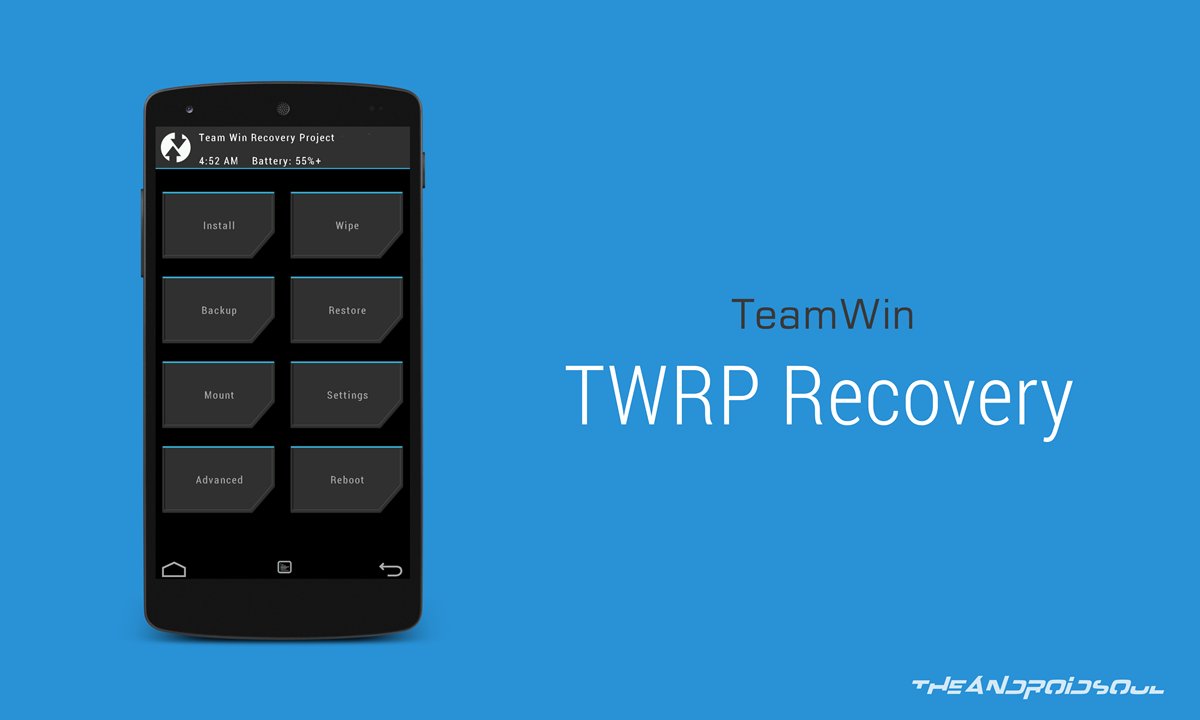

Requirement :
  • Already installed CWM RECOVERY KST2015
    • Brain

       Installing TWRP :

      • Download zip TWRP file from link given above.
      • Put on extscard
      • Reboot phone in Recovery Mode (press and hold Home + Power + Volume Up buttons)
      • Choose zip from sdcard 
      • Locate the TWRP zip file , choose yes to begin installing
      • Wait until the flashing process is complete 
      • Reboot


      That's it you have succesfully installed TWRP Recovery for KST 2015 kernel version on your Galaxy V . That's all for this post. See you again :)

      Credits and Thanks :

      Zulkifly Malansyah
      HiTech

      0 Response to "New [RECOVERY][KST2015] TWRP RECOVERY By Michaelsample2"

      Post a Comment